Everyday money
Goals
Save towards a target by hand, by following an account's balance, or by tracking your net worth. See what to put away each month.
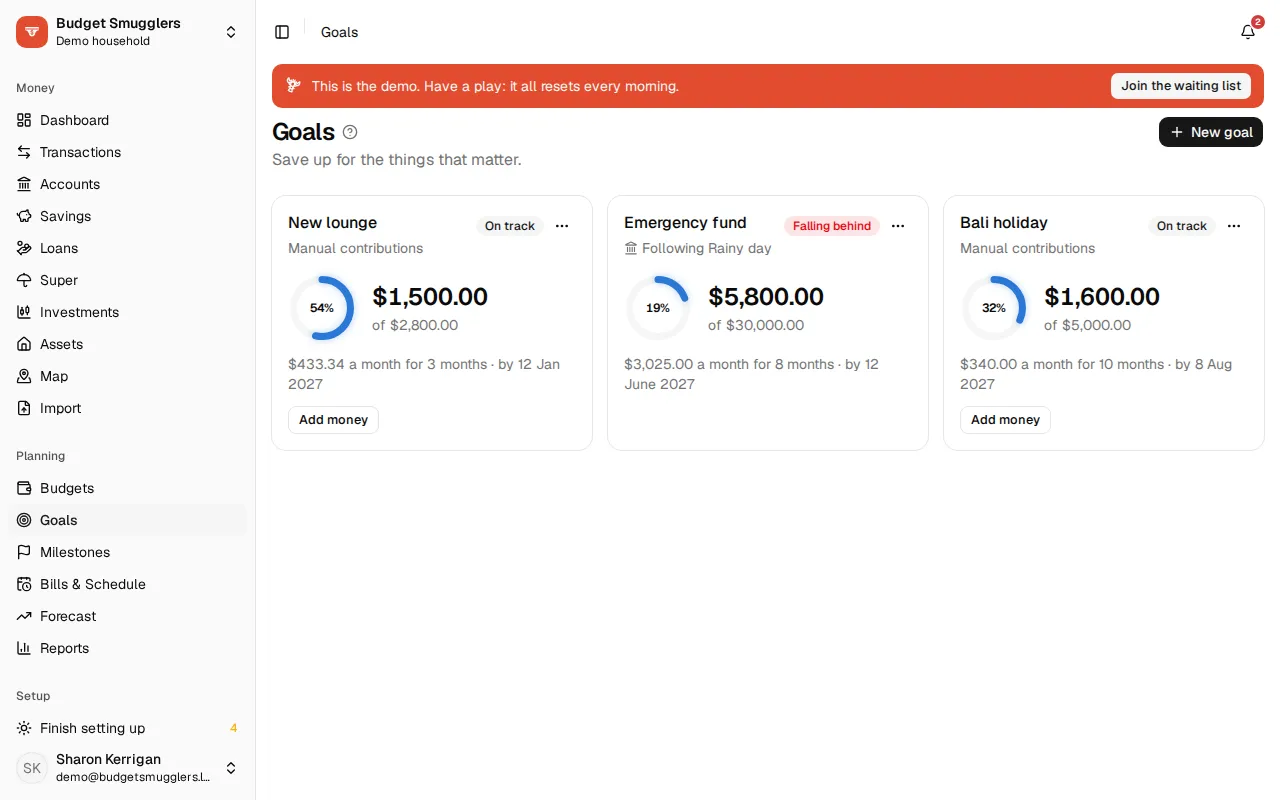
A goal is something you’re saving for: a holiday, a new car, an emergency fund. Give it a target and a date, and Budget Smugglers works out what to put away each month. Open Goals in the sidebar, under Planning.
Create a goal#
- Open Goals and choose New goal.
- Fill in What are you saving for? and the Target amount.
- Add a Target date if there is one. Leave it out for no deadline.
- Pick what to Track progress with (see below).
- Choose Create goal.
If your pool has people, you can also say Whose goal? it is, or leave it Shared. Goals are then grouped by person on the page.
Ways to track progress#
You choose this when you create the goal. It can’t be changed afterwards.
| Option | How progress counts |
|---|---|
| Money I add by hand | You record each amount with Add money. |
| An account | Follows the account’s balance. Only growth from the day you create the goal counts. |
| My net worth | The goal’s target is a net worth to reach. Progress is your net worth today. |
Adding money by hand#
On a manual goal, choose Add money. Enter the amount, the date and an optional note. The amount is filled in with the monthly figure the goal needs. Use a negative amount if you took some back out. The dialog lists what you’ve added so far.
Following an account#
Pick a savings account and the goal fills up as the balance grows. Put $3,000 in an account that already holds $10,000 and the goal shows $3,000 saved. There’s nothing to add by hand.
Net worth goals#
A net worth goal tracks your whole net worth against a target, like reaching $250,000. If you have super, choose whether to Include super. Changing that later moves the goal’s starting point, so the pace stays fair.
Adding an asset, like your home, doesn’t finish a goal on the spot. The goal’s starting point moves by the asset’s value, so only growth since the goal began counts.
Status#
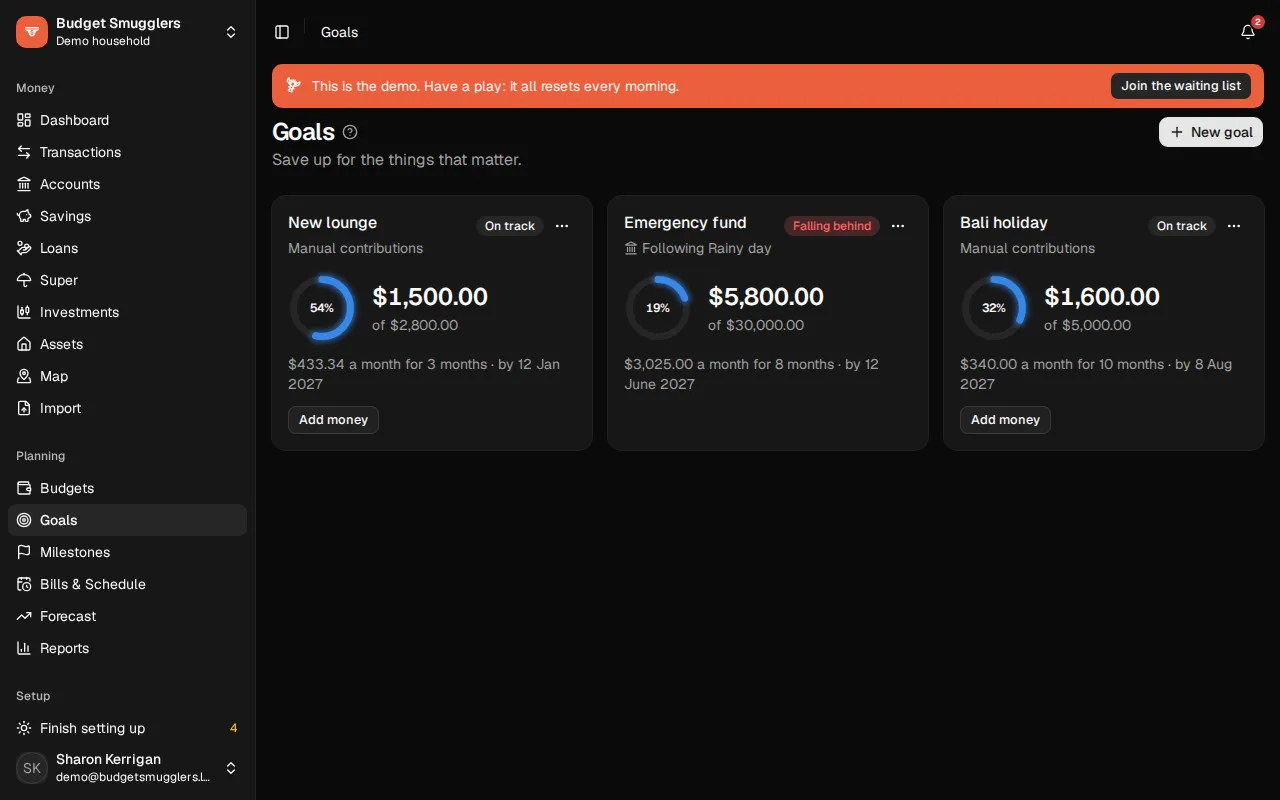
Each goal card shows a progress ring, how much you have, and one of these:
| Status | Meaning |
|---|---|
| On track | Progress is keeping pace with the time gone since the goal started. |
| Falling behind | Progress is behind that pace. |
| No deadline | There’s no target date, so there’s no pace to check. |
| Past due | The target date has passed. |
| Done! | You got there. |
With a target date, the card says how much to put away a month and for how many months. Say you need $4,800 more in 8 months: that’s $600 a month. The current month counts as one of the months left.
Edit, archive or delete#
Use the … menu on a card and choose Edit. You can change the name, target, date, person and notes.
From the edit dialog:
- Archive hides the goal from the main list. Archived goals sit under Archived at the bottom of the page, and you can Restore them.
- Delete removes the goal and its contribution history. Archive it instead if you might want it back.